85+ HRIS Integrations for automated on-/offboarding
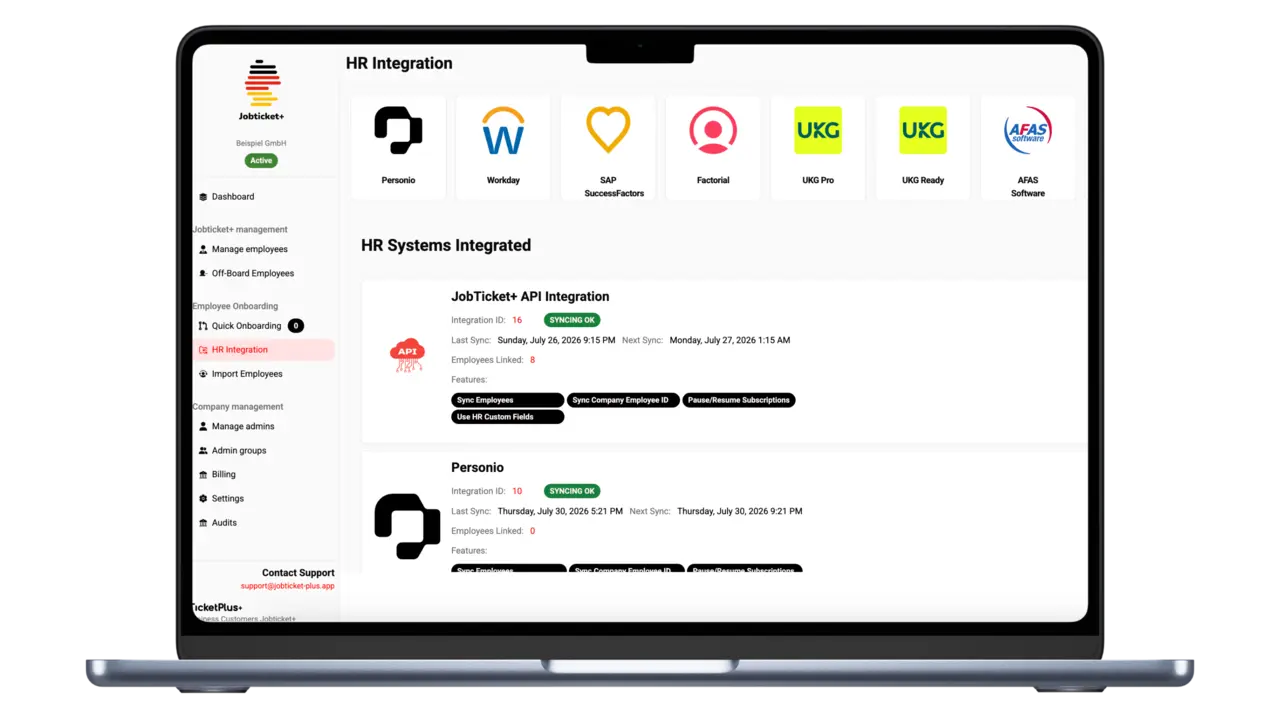
Jobticket+ integrates seamlessly with your existing HR software. Employee data, onboarding, and offboarding are synced automatically — no manual effort.
Personio
- Employee Sync
- Custom Fields
- Employee ID Sync
- Pause/Resume
- Document Upload
Personio
Employee Sync
Employee data is automatically synced from your HR system — new employees appear instantly in Jobticket+.
Custom Fields
Use custom fields from your HR system for advanced syncing and filtering by location, department, or role.
Employee ID Sync
Employee IDs are automatically matched, ensuring every person is uniquely identified.
Pause/Resume
Subscriptions are automatically paused during absence or vacation and reactivated on return.
Document Upload
Upload documents like employment contracts directly from your HR system into Jobticket+.

SAP SuccessFactors
- Employee Sync
- Custom Fields
- Employee ID Sync
- Pause/Resume
SAP SuccessFactors
Employee Sync
Employee data is automatically synced from your HR system — new employees appear instantly in Jobticket+.
Custom Fields
Use custom fields from your HR system for advanced syncing and filtering by location, department, or role.
Employee ID Sync
Employee IDs are automatically matched, ensuring every person is uniquely identified.
Pause/Resume
Subscriptions are automatically paused during absence or vacation and reactivated on return.
Workday
- Employee Sync
- Custom Fields
- Employee ID Sync
- Pause/Resume
- Document Upload
Workday
Employee Sync
Employee data is automatically synced from your HR system — new employees appear instantly in Jobticket+.
Custom Fields
Use custom fields from your HR system for advanced syncing and filtering by location, department, or role.
Employee ID Sync
Employee IDs are automatically matched, ensuring every person is uniquely identified.
Pause/Resume
Subscriptions are automatically paused during absence or vacation and reactivated on return.
Document Upload
Upload documents like employment contracts directly from your HR system into Jobticket+.

Google Workspace
- Employee Sync
- Custom Fields
- Employee ID Sync
Google Workspace
Employee Sync
Employee data is automatically synced from your HR system — new employees appear instantly in Jobticket+.
Custom Fields
Use custom fields from your HR system for advanced syncing and filtering by location, department, or role.
Employee ID Sync
Employee IDs are automatically matched, ensuring every person is uniquely identified.
DATEV
- Employee Sync
- Custom Fields
- Employee ID Sync
DATEV
Employee Sync
Employee data is automatically synced from your HR system — new employees appear instantly in Jobticket+.
Custom Fields
Use custom fields from your HR system for advanced syncing and filtering by location, department, or role.
Employee ID Sync
Employee IDs are automatically matched, ensuring every person is uniquely identified.

HiBob
- Employee Sync
- Custom Fields
- Employee ID Sync
- Pause/Resume
- Document Upload
HiBob
Employee Sync
Employee data is automatically synced from your HR system — new employees appear instantly in Jobticket+.
Custom Fields
Use custom fields from your HR system for advanced syncing and filtering by location, department, or role.
Employee ID Sync
Employee IDs are automatically matched, ensuring every person is uniquely identified.
Pause/Resume
Subscriptions are automatically paused during absence or vacation and reactivated on return.
Document Upload
Upload documents like employment contracts directly from your HR system into Jobticket+.

HeavenHR
- Employee Sync
- Custom Fields
- Employee ID Sync
- Pause/Resume
HeavenHR
Employee Sync
Employee data is automatically synced from your HR system — new employees appear instantly in Jobticket+.
Custom Fields
Use custom fields from your HR system for advanced syncing and filtering by location, department, or role.
Employee ID Sync
Employee IDs are automatically matched, ensuring every person is uniquely identified.
Pause/Resume
Subscriptions are automatically paused during absence or vacation and reactivated on return.

Microsoft Entra ID
- Employee Sync
- Custom Fields
- Employee ID Sync
Microsoft Entra ID
Employee Sync
Employee data is automatically synced from your HR system — new employees appear instantly in Jobticket+.
Custom Fields
Use custom fields from your HR system for advanced syncing and filtering by location, department, or role.
Employee ID Sync
Employee IDs are automatically matched, ensuring every person is uniquely identified.

a3innuva Nómina
- Employee Sync
- Custom Fields
- Employee ID Sync
a3innuva Nómina
Employee Sync
Employee data is automatically synced from your HR system — new employees appear instantly in Jobticket+.
Custom Fields
Use custom fields from your HR system for advanced syncing and filtering by location, department, or role.
Employee ID Sync
Employee IDs are automatically matched, ensuring every person is uniquely identified.

Abacus
- Employee Sync
- Custom Fields
- Employee ID Sync
Abacus
Employee Sync
Employee data is automatically synced from your HR system — new employees appear instantly in Jobticket+.
Custom Fields
Use custom fields from your HR system for advanced syncing and filtering by location, department, or role.
Employee ID Sync
Employee IDs are automatically matched, ensuring every person is uniquely identified.

Absence.io
- Employee Sync
- Custom Fields
- Employee ID Sync
Absence.io
Employee Sync
Employee data is automatically synced from your HR system — new employees appear instantly in Jobticket+.
Custom Fields
Use custom fields from your HR system for advanced syncing and filtering by location, department, or role.
Employee ID Sync
Employee IDs are automatically matched, ensuring every person is uniquely identified.

ADP Decidium
- Employee Sync
- Custom Fields
- Employee ID Sync
ADP Decidium
Employee Sync
Employee data is automatically synced from your HR system — new employees appear instantly in Jobticket+.
Custom Fields
Use custom fields from your HR system for advanced syncing and filtering by location, department, or role.
Employee ID Sync
Employee IDs are automatically matched, ensuring every person is uniquely identified.

ADP Workforce Now
- Employee Sync
- Custom Fields
- Employee ID Sync
ADP Workforce Now
Employee Sync
Employee data is automatically synced from your HR system — new employees appear instantly in Jobticket+.
Custom Fields
Use custom fields from your HR system for advanced syncing and filtering by location, department, or role.
Employee ID Sync
Employee IDs are automatically matched, ensuring every person is uniquely identified.

AFAS Software
- Employee Sync
- Custom Fields
- Employee ID Sync
- Document Upload
AFAS Software
Employee Sync
Employee data is automatically synced from your HR system — new employees appear instantly in Jobticket+.
Custom Fields
Use custom fields from your HR system for advanced syncing and filtering by location, department, or role.
Employee ID Sync
Employee IDs are automatically matched, ensuring every person is uniquely identified.
Document Upload
Upload documents like employment contracts directly from your HR system into Jobticket+.

AlexisHR
- Employee Sync
- Custom Fields
- Employee ID Sync
- Pause/Resume
AlexisHR
Employee Sync
Employee data is automatically synced from your HR system — new employees appear instantly in Jobticket+.
Custom Fields
Use custom fields from your HR system for advanced syncing and filtering by location, department, or role.
Employee ID Sync
Employee IDs are automatically matched, ensuring every person is uniquely identified.
Pause/Resume
Subscriptions are automatically paused during absence or vacation and reactivated on return.

BambooHR
- Employee Sync
- Custom Fields
- Employee ID Sync
- Pause/Resume
- Document Upload
BambooHR
Employee Sync
Employee data is automatically synced from your HR system — new employees appear instantly in Jobticket+.
Custom Fields
Use custom fields from your HR system for advanced syncing and filtering by location, department, or role.
Employee ID Sync
Employee IDs are automatically matched, ensuring every person is uniquely identified.
Pause/Resume
Subscriptions are automatically paused during absence or vacation and reactivated on return.
Document Upload
Upload documents like employment contracts directly from your HR system into Jobticket+.

BoondManager
- Employee Sync
- Custom Fields
- Employee ID Sync
BoondManager
Employee Sync
Employee data is automatically synced from your HR system — new employees appear instantly in Jobticket+.
Custom Fields
Use custom fields from your HR system for advanced syncing and filtering by location, department, or role.
Employee ID Sync
Employee IDs are automatically matched, ensuring every person is uniquely identified.

Breathe HR
- Employee Sync
- Custom Fields
- Employee ID Sync
Breathe HR
Employee Sync
Employee data is automatically synced from your HR system — new employees appear instantly in Jobticket+.
Custom Fields
Use custom fields from your HR system for advanced syncing and filtering by location, department, or role.
Employee ID Sync
Employee IDs are automatically matched, ensuring every person is uniquely identified.

CatalystOne
- Employee Sync
- Custom Fields
CatalystOne
Employee Sync
Employee data is automatically synced from your HR system — new employees appear instantly in Jobticket+.
Custom Fields
Use custom fields from your HR system for advanced syncing and filtering by location, department, or role.

Cezanne HR
- Employee Sync
- Custom Fields
- Employee ID Sync
- Pause/Resume
Cezanne HR
Employee Sync
Employee data is automatically synced from your HR system — new employees appear instantly in Jobticket+.
Custom Fields
Use custom fields from your HR system for advanced syncing and filtering by location, department, or role.
Employee ID Sync
Employee IDs are automatically matched, ensuring every person is uniquely identified.
Pause/Resume
Subscriptions are automatically paused during absence or vacation and reactivated on return.

Charlie
- Employee Sync
- Custom Fields
- Pause/Resume
Charlie
Employee Sync
Employee data is automatically synced from your HR system — new employees appear instantly in Jobticket+.
Custom Fields
Use custom fields from your HR system for advanced syncing and filtering by location, department, or role.
Pause/Resume
Subscriptions are automatically paused during absence or vacation and reactivated on return.

Cornerstone OnDemand
- Employee Sync
- Custom Fields
- Employee ID Sync
Cornerstone OnDemand
Employee Sync
Employee data is automatically synced from your HR system — new employees appear instantly in Jobticket+.
Custom Fields
Use custom fields from your HR system for advanced syncing and filtering by location, department, or role.
Employee ID Sync
Employee IDs are automatically matched, ensuring every person is uniquely identified.

Dayforce
- Employee Sync
- Custom Fields
- Employee ID Sync
Dayforce
Employee Sync
Employee data is automatically synced from your HR system — new employees appear instantly in Jobticket+.
Custom Fields
Use custom fields from your HR system for advanced syncing and filtering by location, department, or role.
Employee ID Sync
Employee IDs are automatically matched, ensuring every person is uniquely identified.

Deel
- Employee Sync
- Custom Fields
Deel
Employee Sync
Employee data is automatically synced from your HR system — new employees appear instantly in Jobticket+.
Custom Fields
Use custom fields from your HR system for advanced syncing and filtering by location, department, or role.

Employment Hero
- Employee Sync
- Custom Fields
- Pause/Resume
Employment Hero
Employee Sync
Employee data is automatically synced from your HR system — new employees appear instantly in Jobticket+.
Custom Fields
Use custom fields from your HR system for advanced syncing and filtering by location, department, or role.
Pause/Resume
Subscriptions are automatically paused during absence or vacation and reactivated on return.

Eurécia
- Employee Sync
- Custom Fields
- Employee ID Sync
- Pause/Resume
Eurécia
Employee Sync
Employee data is automatically synced from your HR system — new employees appear instantly in Jobticket+.
Custom Fields
Use custom fields from your HR system for advanced syncing and filtering by location, department, or role.
Employee ID Sync
Employee IDs are automatically matched, ensuring every person is uniquely identified.
Pause/Resume
Subscriptions are automatically paused during absence or vacation and reactivated on return.

Factorial
- Employee Sync
- Custom Fields
- Employee ID Sync
Factorial
Employee Sync
Employee data is automatically synced from your HR system — new employees appear instantly in Jobticket+.
Custom Fields
Use custom fields from your HR system for advanced syncing and filtering by location, department, or role.
Employee ID Sync
Employee IDs are automatically matched, ensuring every person is uniquely identified.

Fourth
- Employee Sync
- Custom Fields
- Employee ID Sync
Fourth
Employee Sync
Employee data is automatically synced from your HR system — new employees appear instantly in Jobticket+.
Custom Fields
Use custom fields from your HR system for advanced syncing and filtering by location, department, or role.
Employee ID Sync
Employee IDs are automatically matched, ensuring every person is uniquely identified.

Gusto
- Employee Sync
- Custom Fields
- Employee ID Sync
Gusto
Employee Sync
Employee data is automatically synced from your HR system — new employees appear instantly in Jobticket+.
Custom Fields
Use custom fields from your HR system for advanced syncing and filtering by location, department, or role.
Employee ID Sync
Employee IDs are automatically matched, ensuring every person is uniquely identified.

Hailey HR
- Employee Sync
- Custom Fields
- Employee ID Sync
- Pause/Resume
Hailey HR
Employee Sync
Employee data is automatically synced from your HR system — new employees appear instantly in Jobticket+.
Custom Fields
Use custom fields from your HR system for advanced syncing and filtering by location, department, or role.
Employee ID Sync
Employee IDs are automatically matched, ensuring every person is uniquely identified.
Pause/Resume
Subscriptions are automatically paused during absence or vacation and reactivated on return.

Hansalog
- Employee Sync
- Custom Fields
- Employee ID Sync
Hansalog
Employee Sync
Employee data is automatically synced from your HR system — new employees appear instantly in Jobticket+.
Custom Fields
Use custom fields from your HR system for advanced syncing and filtering by location, department, or role.
Employee ID Sync
Employee IDs are automatically matched, ensuring every person is uniquely identified.

HoorayHR
- Employee Sync
- Custom Fields
- Employee ID Sync
HoorayHR
Employee Sync
Employee data is automatically synced from your HR system — new employees appear instantly in Jobticket+.
Custom Fields
Use custom fields from your HR system for advanced syncing and filtering by location, department, or role.
Employee ID Sync
Employee IDs are automatically matched, ensuring every person is uniquely identified.

HR WORKS
- Employee Sync
- Custom Fields
- Employee ID Sync
- Pause/Resume
- Document Upload
HR WORKS
Employee Sync
Employee data is automatically synced from your HR system — new employees appear instantly in Jobticket+.
Custom Fields
Use custom fields from your HR system for advanced syncing and filtering by location, department, or role.
Employee ID Sync
Employee IDs are automatically matched, ensuring every person is uniquely identified.
Pause/Resume
Subscriptions are automatically paused during absence or vacation and reactivated on return.
Document Upload
Upload documents like employment contracts directly from your HR system into Jobticket+.

HR4YOU
- Employee Sync
- Custom Fields
- Employee ID Sync
HR4YOU
Employee Sync
Employee data is automatically synced from your HR system — new employees appear instantly in Jobticket+.
Custom Fields
Use custom fields from your HR system for advanced syncing and filtering by location, department, or role.
Employee ID Sync
Employee IDs are automatically matched, ensuring every person is uniquely identified.

Humaans
- Employee Sync
- Custom Fields
- Employee ID Sync
- Pause/Resume
Humaans
Employee Sync
Employee data is automatically synced from your HR system — new employees appear instantly in Jobticket+.
Custom Fields
Use custom fields from your HR system for advanced syncing and filtering by location, department, or role.
Employee ID Sync
Employee IDs are automatically matched, ensuring every person is uniquely identified.
Pause/Resume
Subscriptions are automatically paused during absence or vacation and reactivated on return.

Insperity
- Employee Sync
- Custom Fields
- Employee ID Sync
Insperity
Employee Sync
Employee data is automatically synced from your HR system — new employees appear instantly in Jobticket+.
Custom Fields
Use custom fields from your HR system for advanced syncing and filtering by location, department, or role.
Employee ID Sync
Employee IDs are automatically matched, ensuring every person is uniquely identified.

IRIS Cascade
- Employee Sync
- Custom Fields
- Employee ID Sync
IRIS Cascade
Employee Sync
Employee data is automatically synced from your HR system — new employees appear instantly in Jobticket+.
Custom Fields
Use custom fields from your HR system for advanced syncing and filtering by location, department, or role.
Employee ID Sync
Employee IDs are automatically matched, ensuring every person is uniquely identified.

iTrent
- Employee Sync
- Custom Fields
- Employee ID Sync
iTrent
Employee Sync
Employee data is automatically synced from your HR system — new employees appear instantly in Jobticket+.
Custom Fields
Use custom fields from your HR system for advanced syncing and filtering by location, department, or role.
Employee ID Sync
Employee IDs are automatically matched, ensuring every person is uniquely identified.

Kallidus (Sapling)
- Employee Sync
- Custom Fields
- Employee ID Sync
Kallidus (Sapling)
Employee Sync
Employee data is automatically synced from your HR system — new employees appear instantly in Jobticket+.
Custom Fields
Use custom fields from your HR system for advanced syncing and filtering by location, department, or role.
Employee ID Sync
Employee IDs are automatically matched, ensuring every person is uniquely identified.

Kenjo
- Employee Sync
- Custom Fields
- Pause/Resume
Kenjo
Employee Sync
Employee data is automatically synced from your HR system — new employees appear instantly in Jobticket+.
Custom Fields
Use custom fields from your HR system for advanced syncing and filtering by location, department, or role.
Pause/Resume
Subscriptions are automatically paused during absence or vacation and reactivated on return.

Lattice
- Employee Sync
- Custom Fields
- Employee ID Sync
Lattice
Employee Sync
Employee data is automatically synced from your HR system — new employees appear instantly in Jobticket+.
Custom Fields
Use custom fields from your HR system for advanced syncing and filtering by location, department, or role.
Employee ID Sync
Employee IDs are automatically matched, ensuring every person is uniquely identified.

Leapsome
- Employee Sync
- Custom Fields
- Pause/Resume
Leapsome
Employee Sync
Employee data is automatically synced from your HR system — new employees appear instantly in Jobticket+.
Custom Fields
Use custom fields from your HR system for advanced syncing and filtering by location, department, or role.
Pause/Resume
Subscriptions are automatically paused during absence or vacation and reactivated on return.

Loket
- Employee Sync
- Custom Fields
- Employee ID Sync
Loket
Employee Sync
Employee data is automatically synced from your HR system — new employees appear instantly in Jobticket+.
Custom Fields
Use custom fields from your HR system for advanced syncing and filtering by location, department, or role.
Employee ID Sync
Employee IDs are automatically matched, ensuring every person is uniquely identified.

Lucca
- Employee Sync
- Custom Fields
- Employee ID Sync
Lucca
Employee Sync
Employee data is automatically synced from your HR system — new employees appear instantly in Jobticket+.
Custom Fields
Use custom fields from your HR system for advanced syncing and filtering by location, department, or role.
Employee ID Sync
Employee IDs are automatically matched, ensuring every person is uniquely identified.

MHR People First
- Employee Sync
- Custom Fields
- Employee ID Sync
MHR People First
Employee Sync
Employee data is automatically synced from your HR system — new employees appear instantly in Jobticket+.
Custom Fields
Use custom fields from your HR system for advanced syncing and filtering by location, department, or role.
Employee ID Sync
Employee IDs are automatically matched, ensuring every person is uniquely identified.

Microsoft Azure AD
- Employee Sync
- Custom Fields
- Employee ID Sync
Microsoft Azure AD
Employee Sync
Employee data is automatically synced from your HR system — new employees appear instantly in Jobticket+.
Custom Fields
Use custom fields from your HR system for advanced syncing and filtering by location, department, or role.
Employee ID Sync
Employee IDs are automatically matched, ensuring every person is uniquely identified.

Mirus
- Employee Sync
- Custom Fields
- Employee ID Sync
Mirus
Employee Sync
Employee data is automatically synced from your HR system — new employees appear instantly in Jobticket+.
Custom Fields
Use custom fields from your HR system for advanced syncing and filtering by location, department, or role.
Employee ID Sync
Employee IDs are automatically matched, ensuring every person is uniquely identified.

Namely
- Employee Sync
- Custom Fields
- Employee ID Sync
Namely
Employee Sync
Employee data is automatically synced from your HR system — new employees appear instantly in Jobticket+.
Custom Fields
Use custom fields from your HR system for advanced syncing and filtering by location, department, or role.
Employee ID Sync
Employee IDs are automatically matched, ensuring every person is uniquely identified.

Nibelis
- Employee Sync
- Custom Fields
Nibelis
Employee Sync
Employee data is automatically synced from your HR system — new employees appear instantly in Jobticket+.
Custom Fields
Use custom fields from your HR system for advanced syncing and filtering by location, department, or role.

Nmbrs
- Employee Sync
- Custom Fields
- Employee ID Sync
- Document Upload
Nmbrs
Employee Sync
Employee data is automatically synced from your HR system — new employees appear instantly in Jobticket+.
Custom Fields
Use custom fields from your HR system for advanced syncing and filtering by location, department, or role.
Employee ID Sync
Employee IDs are automatically matched, ensuring every person is uniquely identified.
Document Upload
Upload documents like employment contracts directly from your HR system into Jobticket+.

Officient
- Employee Sync
- Custom Fields
Officient
Employee Sync
Employee data is automatically synced from your HR system — new employees appear instantly in Jobticket+.
Custom Fields
Use custom fields from your HR system for advanced syncing and filtering by location, department, or role.

Okta
- Employee Sync
- Custom Fields
- Employee ID Sync
Okta
Employee Sync
Employee data is automatically synced from your HR system — new employees appear instantly in Jobticket+.
Custom Fields
Use custom fields from your HR system for advanced syncing and filtering by location, department, or role.
Employee ID Sync
Employee IDs are automatically matched, ensuring every person is uniquely identified.

Oracle HCM
- Employee Sync
- Custom Fields
- Employee ID Sync
- Pause/Resume
Oracle HCM
Employee Sync
Employee data is automatically synced from your HR system — new employees appear instantly in Jobticket+.
Custom Fields
Use custom fields from your HR system for advanced syncing and filtering by location, department, or role.
Employee ID Sync
Employee IDs are automatically matched, ensuring every person is uniquely identified.
Pause/Resume
Subscriptions are automatically paused during absence or vacation and reactivated on return.

OysterHR
- Employee Sync
- Custom Fields
OysterHR
Employee Sync
Employee data is automatically synced from your HR system — new employees appear instantly in Jobticket+.
Custom Fields
Use custom fields from your HR system for advanced syncing and filtering by location, department, or role.

Paychex
- Employee Sync
- Custom Fields
- Employee ID Sync
Paychex
Employee Sync
Employee data is automatically synced from your HR system — new employees appear instantly in Jobticket+.
Custom Fields
Use custom fields from your HR system for advanced syncing and filtering by location, department, or role.
Employee ID Sync
Employee IDs are automatically matched, ensuring every person is uniquely identified.

Paycom
- Employee Sync
- Custom Fields
- Employee ID Sync
Paycom
Employee Sync
Employee data is automatically synced from your HR system — new employees appear instantly in Jobticket+.
Custom Fields
Use custom fields from your HR system for advanced syncing and filtering by location, department, or role.
Employee ID Sync
Employee IDs are automatically matched, ensuring every person is uniquely identified.

Paycor
- Employee Sync
- Custom Fields
- Employee ID Sync
Paycor
Employee Sync
Employee data is automatically synced from your HR system — new employees appear instantly in Jobticket+.
Custom Fields
Use custom fields from your HR system for advanced syncing and filtering by location, department, or role.
Employee ID Sync
Employee IDs are automatically matched, ensuring every person is uniquely identified.

PayFit
- Employee Sync
- Custom Fields
PayFit
Employee Sync
Employee data is automatically synced from your HR system — new employees appear instantly in Jobticket+.
Custom Fields
Use custom fields from your HR system for advanced syncing and filtering by location, department, or role.

Paylocity
- Employee Sync
- Custom Fields
- Employee ID Sync
Paylocity
Employee Sync
Employee data is automatically synced from your HR system — new employees appear instantly in Jobticket+.
Custom Fields
Use custom fields from your HR system for advanced syncing and filtering by location, department, or role.
Employee ID Sync
Employee IDs are automatically matched, ensuring every person is uniquely identified.

PeopleHR
- Employee Sync
- Custom Fields
- Employee ID Sync
PeopleHR
Employee Sync
Employee data is automatically synced from your HR system — new employees appear instantly in Jobticket+.
Custom Fields
Use custom fields from your HR system for advanced syncing and filtering by location, department, or role.
Employee ID Sync
Employee IDs are automatically matched, ensuring every person is uniquely identified.

PeopleXD
- Employee Sync
- Custom Fields
- Employee ID Sync
PeopleXD
Employee Sync
Employee data is automatically synced from your HR system — new employees appear instantly in Jobticket+.
Custom Fields
Use custom fields from your HR system for advanced syncing and filtering by location, department, or role.
Employee ID Sync
Employee IDs are automatically matched, ensuring every person is uniquely identified.

Perbility Helix
- Employee Sync
- Custom Fields
- Employee ID Sync
Perbility Helix
Employee Sync
Employee data is automatically synced from your HR system — new employees appear instantly in Jobticket+.
Custom Fields
Use custom fields from your HR system for advanced syncing and filtering by location, department, or role.
Employee ID Sync
Employee IDs are automatically matched, ensuring every person is uniquely identified.

Planday
- Employee Sync
- Custom Fields
Planday
Employee Sync
Employee data is automatically synced from your HR system — new employees appear instantly in Jobticket+.
Custom Fields
Use custom fields from your HR system for advanced syncing and filtering by location, department, or role.

Remote
- Employee Sync
- Custom Fields
- Pause/Resume
Remote
Employee Sync
Employee data is automatically synced from your HR system — new employees appear instantly in Jobticket+.
Custom Fields
Use custom fields from your HR system for advanced syncing and filtering by location, department, or role.
Pause/Resume
Subscriptions are automatically paused during absence or vacation and reactivated on return.

rexx systems
- Employee Sync
- Custom Fields
- Employee ID Sync
rexx systems
Employee Sync
Employee data is automatically synced from your HR system — new employees appear instantly in Jobticket+.
Custom Fields
Use custom fields from your HR system for advanced syncing and filtering by location, department, or role.
Employee ID Sync
Employee IDs are automatically matched, ensuring every person is uniquely identified.

Rippling
- Employee Sync
- Custom Fields
- Employee ID Sync
Rippling
Employee Sync
Employee data is automatically synced from your HR system — new employees appear instantly in Jobticket+.
Custom Fields
Use custom fields from your HR system for advanced syncing and filtering by location, department, or role.
Employee ID Sync
Employee IDs are automatically matched, ensuring every person is uniquely identified.

Sage HR
- Employee Sync
- Custom Fields
- Employee ID Sync
- Pause/Resume
- Document Upload
Sage HR
Employee Sync
Employee data is automatically synced from your HR system — new employees appear instantly in Jobticket+.
Custom Fields
Use custom fields from your HR system for advanced syncing and filtering by location, department, or role.
Employee ID Sync
Employee IDs are automatically matched, ensuring every person is uniquely identified.
Pause/Resume
Subscriptions are automatically paused during absence or vacation and reactivated on return.
Document Upload
Upload documents like employment contracts directly from your HR system into Jobticket+.

Sage People
- Employee Sync
- Custom Fields
- Employee ID Sync
Sage People
Employee Sync
Employee data is automatically synced from your HR system — new employees appear instantly in Jobticket+.
Custom Fields
Use custom fields from your HR system for advanced syncing and filtering by location, department, or role.
Employee ID Sync
Employee IDs are automatically matched, ensuring every person is uniquely identified.

SCIM
- Employee Sync
- Custom Fields
- Employee ID Sync
SCIM
Employee Sync
Employee data is automatically synced from your HR system — new employees appear instantly in Jobticket+.
Custom Fields
Use custom fields from your HR system for advanced syncing and filtering by location, department, or role.
Employee ID Sync
Employee IDs are automatically matched, ensuring every person is uniquely identified.

SD Worx
- Employee Sync
- Custom Fields
- Employee ID Sync
- Document Upload
SD Worx
Employee Sync
Employee data is automatically synced from your HR system — new employees appear instantly in Jobticket+.
Custom Fields
Use custom fields from your HR system for advanced syncing and filtering by location, department, or role.
Employee ID Sync
Employee IDs are automatically matched, ensuring every person is uniquely identified.
Document Upload
Upload documents like employment contracts directly from your HR system into Jobticket+.

Sesame HR
- Employee Sync
- Custom Fields
- Pause/Resume
Sesame HR
Employee Sync
Employee data is automatically synced from your HR system — new employees appear instantly in Jobticket+.
Custom Fields
Use custom fields from your HR system for advanced syncing and filtering by location, department, or role.
Pause/Resume
Subscriptions are automatically paused during absence or vacation and reactivated on return.

SFTP
- Employee Sync
- Custom Fields
- Employee ID Sync
SFTP
Employee Sync
Employee data is automatically synced from your HR system — new employees appear instantly in Jobticket+.
Custom Fields
Use custom fields from your HR system for advanced syncing and filtering by location, department, or role.
Employee ID Sync
Employee IDs are automatically matched, ensuring every person is uniquely identified.

Simployer
- Employee Sync
- Custom Fields
- Employee ID Sync
- Pause/Resume
Simployer
Employee Sync
Employee data is automatically synced from your HR system — new employees appear instantly in Jobticket+.
Custom Fields
Use custom fields from your HR system for advanced syncing and filtering by location, department, or role.
Employee ID Sync
Employee IDs are automatically matched, ensuring every person is uniquely identified.
Pause/Resume
Subscriptions are automatically paused during absence or vacation and reactivated on return.

Square
- Employee Sync
- Custom Fields
- Employee ID Sync
Square
Employee Sync
Employee data is automatically synced from your HR system — new employees appear instantly in Jobticket+.
Custom Fields
Use custom fields from your HR system for advanced syncing and filtering by location, department, or role.
Employee ID Sync
Employee IDs are automatically matched, ensuring every person is uniquely identified.

Sympa
- Employee Sync
- Custom Fields
- Employee ID Sync
Sympa
Employee Sync
Employee data is automatically synced from your HR system — new employees appear instantly in Jobticket+.
Custom Fields
Use custom fields from your HR system for advanced syncing and filtering by location, department, or role.
Employee ID Sync
Employee IDs are automatically matched, ensuring every person is uniquely identified.

Tellent HR
- Employee Sync
- Custom Fields
- Employee ID Sync
Tellent HR
Employee Sync
Employee data is automatically synced from your HR system — new employees appear instantly in Jobticket+.
Custom Fields
Use custom fields from your HR system for advanced syncing and filtering by location, department, or role.
Employee ID Sync
Employee IDs are automatically matched, ensuring every person is uniquely identified.

TriNet (Zenefits)
- Employee Sync
- Custom Fields
- Employee ID Sync
- Pause/Resume
TriNet (Zenefits)
Employee Sync
Employee data is automatically synced from your HR system — new employees appear instantly in Jobticket+.
Custom Fields
Use custom fields from your HR system for advanced syncing and filtering by location, department, or role.
Employee ID Sync
Employee IDs are automatically matched, ensuring every person is uniquely identified.
Pause/Resume
Subscriptions are automatically paused during absence or vacation and reactivated on return.

TriNet PEO
- Employee Sync
- Custom Fields
- Employee ID Sync
TriNet PEO
Employee Sync
Employee data is automatically synced from your HR system — new employees appear instantly in Jobticket+.
Custom Fields
Use custom fields from your HR system for advanced syncing and filtering by location, department, or role.
Employee ID Sync
Employee IDs are automatically matched, ensuring every person is uniquely identified.

UKG Pro
- Employee Sync
- Custom Fields
- Employee ID Sync
UKG Pro
Employee Sync
Employee data is automatically synced from your HR system — new employees appear instantly in Jobticket+.
Custom Fields
Use custom fields from your HR system for advanced syncing and filtering by location, department, or role.
Employee ID Sync
Employee IDs are automatically matched, ensuring every person is uniquely identified.

UKG Pro WFM
- Employee Sync
- Custom Fields
- Employee ID Sync
UKG Pro WFM
Employee Sync
Employee data is automatically synced from your HR system — new employees appear instantly in Jobticket+.
Custom Fields
Use custom fields from your HR system for advanced syncing and filtering by location, department, or role.
Employee ID Sync
Employee IDs are automatically matched, ensuring every person is uniquely identified.

Visma People
- Employee Sync
- Custom Fields
- Employee ID Sync
Visma People
Employee Sync
Employee data is automatically synced from your HR system — new employees appear instantly in Jobticket+.
Custom Fields
Use custom fields from your HR system for advanced syncing and filtering by location, department, or role.
Employee ID Sync
Employee IDs are automatically matched, ensuring every person is uniquely identified.

Visma Raet - Youforce
- Employee Sync
- Custom Fields
- Employee ID Sync
Visma Raet - Youforce
Employee Sync
Employee data is automatically synced from your HR system — new employees appear instantly in Jobticket+.
Custom Fields
Use custom fields from your HR system for advanced syncing and filtering by location, department, or role.
Employee ID Sync
Employee IDs are automatically matched, ensuring every person is uniquely identified.

Visma YouServe
- Employee Sync
- Custom Fields
- Employee ID Sync
Visma YouServe
Employee Sync
Employee data is automatically synced from your HR system — new employees appear instantly in Jobticket+.
Custom Fields
Use custom fields from your HR system for advanced syncing and filtering by location, department, or role.
Employee ID Sync
Employee IDs are automatically matched, ensuring every person is uniquely identified.

workforce.com
- Employee Sync
- Custom Fields
- Employee ID Sync
workforce.com
Employee Sync
Employee data is automatically synced from your HR system — new employees appear instantly in Jobticket+.
Custom Fields
Use custom fields from your HR system for advanced syncing and filtering by location, department, or role.
Employee ID Sync
Employee IDs are automatically matched, ensuring every person is uniquely identified.

Zelt
- Employee Sync
- Custom Fields
Zelt
Employee Sync
Employee data is automatically synced from your HR system — new employees appear instantly in Jobticket+.
Custom Fields
Use custom fields from your HR system for advanced syncing and filtering by location, department, or role.

Zoho People
- Employee Sync
- Custom Fields
- Employee ID Sync
Zoho People
Employee Sync
Employee data is automatically synced from your HR system — new employees appear instantly in Jobticket+.
Custom Fields
Use custom fields from your HR system for advanced syncing and filtering by location, department, or role.
Employee ID Sync
Employee IDs are automatically matched, ensuring every person is uniquely identified.
85+ integrations and growing — don't see yours? Contact us
What HRIS integrations enable with Jobticket+
Employee Synchronization
- Automatic employee synchronization
- Sync employee ID (personnel number)
- Use custom HR fields
- Auto-update profiles (first name, last name, date of birth, photo)
- Create new employees automatically or match existing ones
Automated Onboarding
- Direct creation or quick-onboarding request (with manual approval)
- Pricing plan on creation: 100% subsidy, salary conversion, or SplitPay
- Auto-start Jobticket+ subscription for new employees
- Start date = entry date or next month after ticket cutoff
Pause & Resume Subscriptions
- Auto-pause subscriptions during vacation/absence (customizable duration, e.g. 42 days)
- Auto-resume when employee returns
- Pause for filtered or deactivated employees
- Choose immediate or next-month reactivation
Offboarding & Deactivation
- Define action on employee departure
- Options: pause subscription only or fully remove employee
- Action on HR-system deactivation or filtering
- Remove HR integration at any time
What do the features mean?
MSync Employees
Employee data (name, email, start date) is automatically synced from your HR system. New team member in Personio? Jobticket+ is created automatically.
#Sync Company Employee ID
The internal employee ID from your HRIS is adopted. Ideal for clean mapping in payroll and for audits.
⏸Pause/Resume Subscriptions
When employees are paused or deactivated in your HR system (e.g. parental leave, sabbatical), the Jobticket subscription is automatically paused.
↑Can Upload Documents
For salary conversion, the supplementary agreement to the employment contract is automatically generated and uploaded directly to the HRIS.
⚙Custom Fields
Jobticket+ can access custom fields in your HR system — e.g. cost center, department, or location — for precise mapping and reporting.
Frequently asked questions about the integrations
How does synchronization with my HR system work?
Jobticket+ regularly syncs employee data from your HR system (typically daily). First name, last name, date of birth, employee ID, and optionally the profile photo are synced. New employees can be created automatically or through a quick-onboarding process with manual approval.
What happens when an employee leaves the company?
You can define which action is taken automatically: just pause the subscription or fully remove the employee from Jobticket+. This setting can be configured individually in the integration settings.
Can I automatically pause the Jobticket+ subscription during vacation?
Yes. You can enable automatic pausing of Jobticket+ subscriptions for absences longer than a duration you define (e.g. 42 days). When the employee returns, the subscription is automatically resumed. You can also choose whether reactivation happens immediately or the following month.
Which pricing plans can be assigned during automatic onboarding?
When creating or approving an onboarding request, you can set a pricing plan: Jobticket+ with 100% employer subsidy (€60.85), salary conversion (approx. +€1.71 net — the employee signs a contract amendment), or SplitPay (employer pays €50.85, employee pays €10). The plan can be pre-configured per integration.
Can I choose which fields are synchronized?
Yes. You can select which fields are always synced with the HR system: first name, last name, date of birth, and profile photo. You can also enable or disable automatic profile updates entirely.
What happens when an employee is deactivated or filtered out in the HR system?
You have several options: no action, just pause the subscription (with manual or automatic reactivation), or pause and fully remove the employee. These rules can be freely configured in the integration settings.
Can new employees be created automatically or do I need to approve them?
Both are possible. You can enable automatic creation of employees whose work email isn't found in Jobticket+. Alternatively, you can use the quick-onboarding process, which creates a request that must be manually approved (recommended). With both options, you can pre-configure the subscription plan for new employees.
How do I remove an HR integration?
You can remove an HR integration at any time in the integration settings. Already linked employees and subscriptions remain in place — only the automatic synchronization is stopped.
Do I need to modify my HR system for the integration?
No. Jobticket+ uses your HR system's standard APIs. You don't need to change or add fields — you simply select which existing fields should be synchronized in the settings.
What happens when an employee is removed from the HR system?
You can define what happens: just pause the subscription (e.g. for parental leave or sabbatical) or fully remove the employee from Jobticket+. This rule can be freely configured in the integration settings.
Can I connect multiple HR systems at the same time?
Yes. You can connect multiple HR systems in parallel — for example, if different locations use different tools. Each integration is managed separately and can have its own sync and onboarding rules.
Still have questions?
Book a free consultation — we'll help you set up Jobticket+ in under 5 minutes.